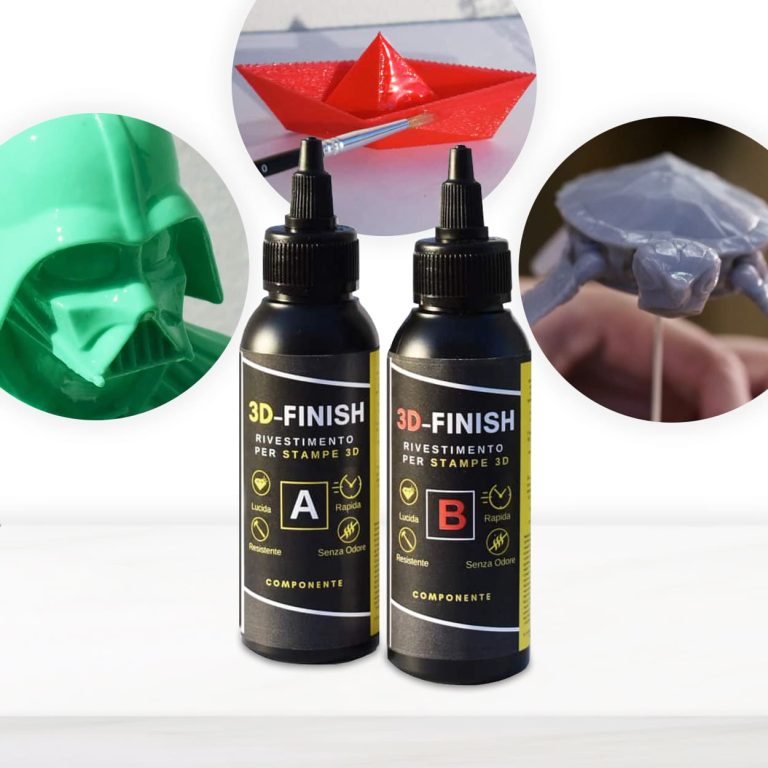
3D – FINISH “Fast” Post-print coating for polishing and finishing 3D prints. Applied on any kind print, it makes the treated surface glossy, smooth and impact-resistant. Specifically developed to be used in 3D applications, it does not drip or cover small details, faithfully respecting all the shapes of the printing. Eliminates unevenness between the different layers; Glossy; Strengthens the mechanical resistance of the printing; Can be polished and painted. If you want to paint your printing according to your tastes, 3D Finish “Fast” can be coloured with colouring pastes and metal powders. Excellent adhesion and reinforcement on PLA, LAYWOOD, ABS. Fast and effective, it is an easy-to-apply solution to create finished items through 3D printing more quickly, improving their aesthetic uniformity and their impact strength. Thanks to its high mechanical resistance, it is also perfect to be used as a bonding agent between printings or to repair damaged 3D artefacts. We recommend to store the product in a dark, cool and dry place away from direct sunlight. The tools must be washed with IPA (isopropyl alcohol).
$16,49
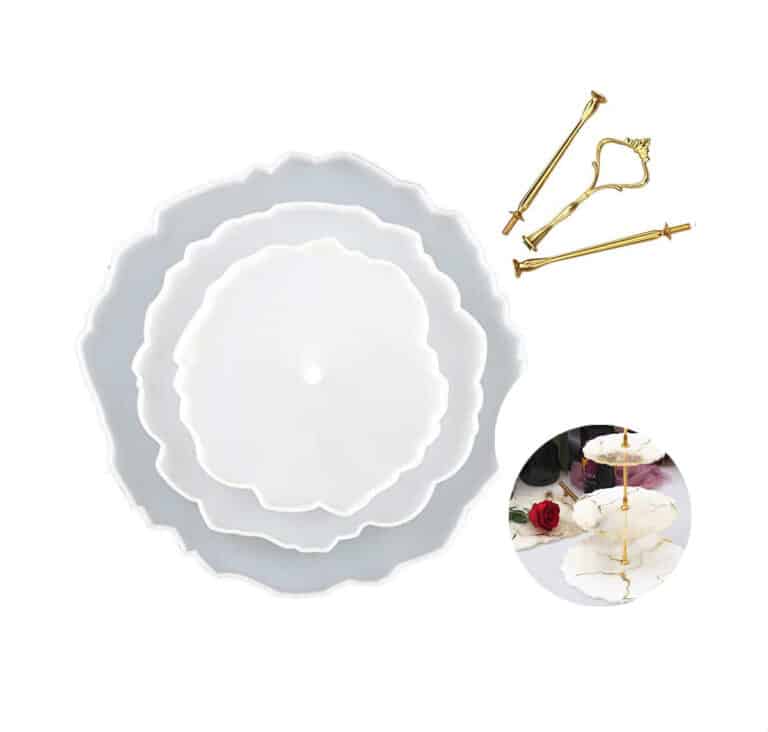
HIGH-QUALITY SILICONE MOULD FOR HANDCRAFTS This flat Coaster Mould has a smooth interior and produces a beautiful coaster with a professional finish. Use our heat-resistant resin to make something that is not only functional but also ideal for making three-tier fruit and dessert trays, coasters, decorative elements and home and office decorations. This product can be reused over the years. The Set includes: Silicone molds: D. 155 mm – 1 pcs → 6.1 in – 1 pc D. 205 mm – 1 pcs → 8.1 in – 1 pc D. 255 mm – 1 pcs → 10.0 in – 1 pc Support rod (by variation): 110 mm – 2 pcs → 4.3 in – 2 pcs 122 mm x P. 47 – 1 pcs → 4.8 in x P. 1.9 – 1 pc If you're using these moulds to make coasters, we recommend that you add a 3mm thick clear layer of Heat-Resistant resin first in your mould. Let it set and then add more resin with colour, ink, glitter, flowers etc. Once turned out (after 3-4 days), what was the bottom will be the top and heat-resistant up to 200C! Remember that our Heat-Resistant resin needs up to 72 hours to achieve full cure, so don't place a hot cup on it too early. DO-IT-YOURSELF. Material: Silicone, Colour: Semi-transparent; Reusable, Non-stick, Easy to use and clean. Warning: do not use aggressive solvents, High-quality moulds, heat-resistant: -40°C to + 210°C [-104° F to +410° F]
$17,49
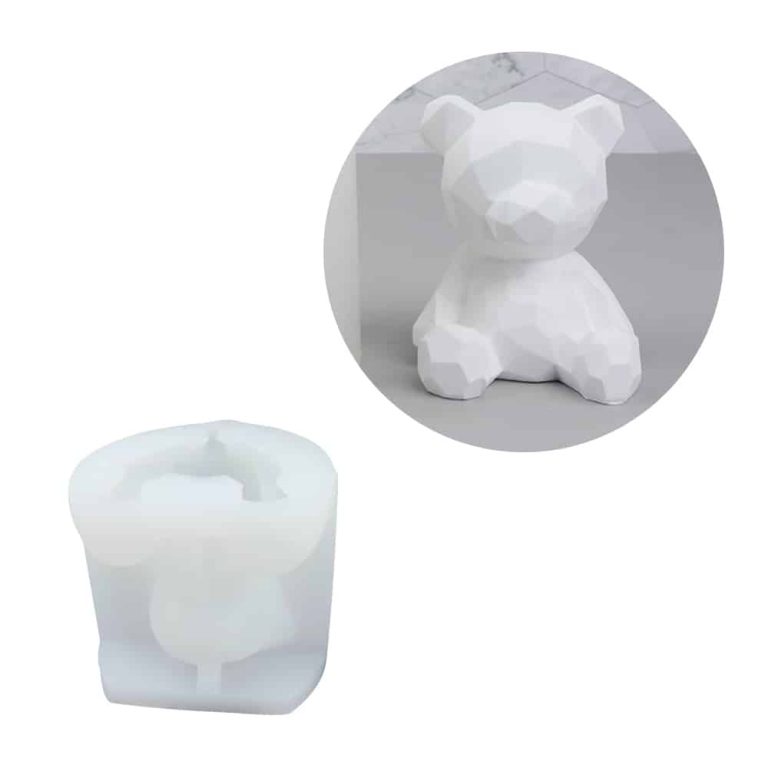
3D Bear “Teddy" mould made of high quality silicone for resin creations. Excellent for making candel mould,DIY Keepsake Mold. Size: 2.6 x 2.5'' and casting size of 2.4 x 1.8 x 1.9'' Colour: White Warning: do not use aggressive solvents, High-quality moulds, heat-resistant: -40°C to + 210°C [-104° F to +410° F] Attention! Remove the product from the mold no later than 12 hours after pouring the resin. Otherwise, there is a chance of local adhesion of the resin to the mold.
$13,53
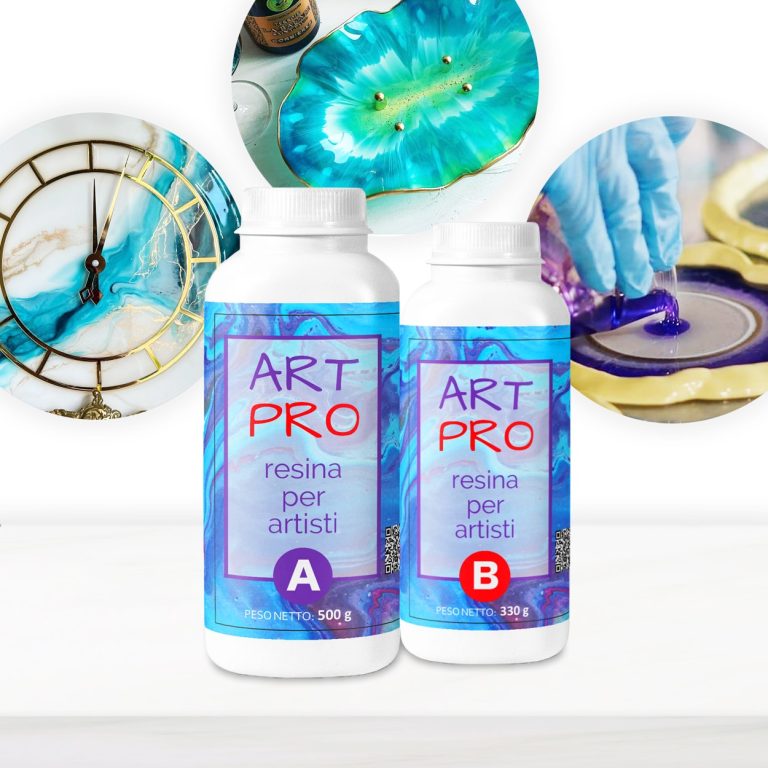
💥 BESTSELLER FOR: – Resin Artworks on surfaces, panels: Ocean Art, Marble Effect, Geode Art and etc; – Coasters and Trays with colour effects (layer thickness up to 1 cm [0,39”]); – Coating of surfaces - Floors, Canvases, Furniture, Etc; – 3D effect on prints, photos and images in general; – Fixation of decorative objects (decorative elements, glass, stone, quartz pieces, etc.); – Creation of a perfectly transparent protective layer on your projects. 💥About “ART PRO ” – Ultra Clear Medium Viscosity Epoxy Resin for Artists: First class quality epoxy resin for the artistic sector: thanks to its special dense formula, it allows you to create Resin Art works. It does not leak out from the working surface, slowly reaching the corners of the frame. ART PRO preserves your original design and prevents any possible modification due to the thickness of the resin: because of its special formula, the layers of colours do not expand and do not mix (unless you deliberately intervene), faithfully keeping with your creative idea! Additional features: Long working time; + Odourless; + Excellent mechanical strength; + High impregnation and reinforcement of technical fabrics. The product can be coloured with any epoxy dye (both in paste and powder) in a percentage ranging from 0.1% to 2.0%). It can also be thickened by the use of aggregates such as powders and fumed silica. 💥Key features: ⚙️ ULTRA TRANSPARENT EPOXY RESIN: -The crystal clear epoxy resin is suitable for both beginners and professionals. Start making Resin Art works, coasters, trays and any other DIY – creation that involves the use of medium viscosity resin. 🧪PROFESSIONAL QUALITY: -Made from high quality materials – Excellent transparency, Glossy surface, Odourless – because of unique formula for DIY, craft and artistic creations. Compatible with silicone, wood, fabric, glass and paper. 🌿 SAFE AND CERTIFIED: -All our resins are Certified Non-Toxic, Solvent-free, non-flammable, and totally safe. 💧 EASY TO USE: -The 3:2 mixing ratio makes this product very easy to use. Being a two-component resin, simply mix RESIN A + HARDENER B in the ratio indicated above the package and let it harden without the need for further additives. Can be coloured as desired. 📞 FREE PROFESSIONAL ASSISTANCE SERVICE: -Since we are directly a manufacturer, we have access to a professional laboratory that will happily help you with any complex project. 🇬🇧 UK BASED TRUSTED COMPANY: -RESIN-PRO team collects and sends your order as fast as possible. We produce and realise epoxy resins since 2015. Just google our social media, where you will find thousands of projects made with our products around the world. The "ART-PRO" formula is specifically developed for coating in artistic applications. Compatible with colouring agents, powder pigments, alcohol-based and oil-based dyes, aerosol paints. The migration laboratory test on cured resin samples ensures that the final product does not release any harmful substances, if applied following the instructions. Warning: the product is moisture sensitive, do not use on wet surfaces or with water-based dyes (e.g. Acrylics) ____________________________________________________________________ if you have not enough experience, we insistly suggest to make a small test before working with large project.
$28,49
How to Install Flooring in Sweet Home 3D
If you're looking to install flooring in Sweet Home 3D, a leading interior design software, follow these easy steps:
- Begin by launching the program and opening the project where you intend to add the flooring.
- Navigate to the top menu and select "Edit," then choose "Plan" to access the 2D layout of your home.
- Click on the "Floors" icon in the toolbar and select your preferred flooring type from the dropdown menu.
- Outline the room by clicking on its edges and confirming with a double click to define the flooring area.
- Utilize the editing tools provided to adjust the dimensions or position of the flooring as needed.
- Lastly, personalize the flooring by selecting it and modifying properties such as color, texture, or material.
By following these steps, you can seamlessly add and customize flooring within your Sweet Home 3D project.
How to Add Textures in Sweet Home 3D
To incorporate textures in Sweet Home 3D, follow these straightforward steps
- Open the program and launch Sweet Home 3D on your computer.
- Select the desired object and click on it in either the 2D or 3D view.
- Access the texture window by right-clicking on the object and selecting "Edit Attributes" or "Change Color or Texture."
- Choose the texture by navigating to the "Texture" tab in the object's properties window and uploading the desired texture from your computer.
- Adjust settings like scale and position to suit the object.
- Confirm the changes by clicking "OK" to apply the texture to the selected object.
By following these steps, you can effortlessly incorporate customized textures onto your objects in Sweet Home 3D.
Flooring Tutorial in Sweet Home 3D
For a comprehensive flooring tutorial in Sweet Home 3D, the go-to interior design software, follow these steps:
Open the program and launch Sweet Home 3D on your computer.
Select the room you wish to work on.
Access the catalog by clicking on the "Furniture" icon and selecting "Floors."
Choose your preferred flooring from the available options in the catalog.
Drag the selected flooring into the designated room.
Modify the flooring dimensions to align with the room if necessary.
Visualize the flooring in a three-dimensional perspective by selecting "3D View."
Ensure to save the project to retain the flooring modifications.
By following these guidelines, you can effortlessly create and customize flooring in your Sweet Home 3D designs.
How to Design Flooring in Sweet Home 3D
To design flooring in Sweet Home 3D, adhere to these simple steps:
Start the program and select the room where you intend to design the flooring.
Choose between "Floors" or "Backgrounds" in the toolbar.
Select your desired flooring type from options like wood, tiles, carpet, etc.
Apply the flooring by clicking on the room or drawing it with the cursor.
Utilize resizing and rotation tools to adjust the flooring dimensions.
For further customization, modify color, texture, and other properties using the available tools.
Remember to save the project to preserve the flooring adjustments.
By following these steps, you can effortlessly design and personalize the flooring of your rooms in Sweet Home 3D.
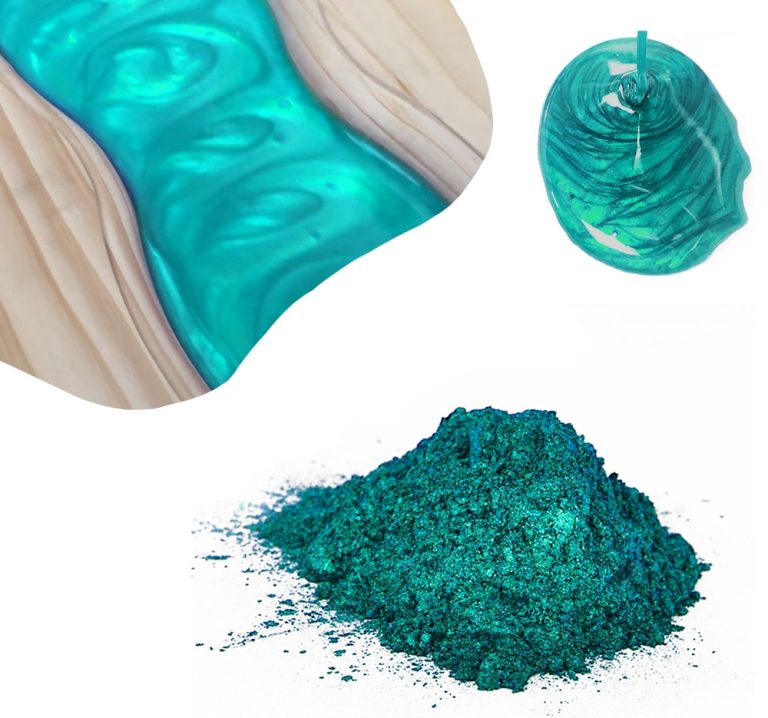
Mica Powder SAHARA is the perfect way to give even more emphasis to your creations. Thanks to its metallic pigments, you can create impressive 3D effects! Our new Mica Powder SAHARA is perfect to decorate your creations with resin! The mica-based pearlescent PEARLINE pigments have excellent fastness to light and high-temperature stability. Ideal for “glazing”, they can be used with all transparent resins. Thanks to the selection of colours, you can get truly unique and innovative chromatic effects. The selection of the finest raw materials and the high production technology allows us to offer a product with brilliant shades and high-dimensional constancy. Due to its wide range of colours, it can be used in several decorative applications, such as: hobbies, home decoration, fine arts, nail art.
$4,95

💥 BESTSELLER FOR: –Resin-art: Geode-art, Ocean-art, Coasters, Trays, Fluid art (pour paint) and Art objects; –Surface coating: Coating + very good for vertical applications by brush or roller; –Restoration : Covering objects and furniture to add depth and brilliance to the colour. The surface is perfectly smooth and moisture-resistant. Solvent-free and odourless epoxy resin. 💥About ULTRA-HIGH VISCOSITY epoxy resin for artists "ART PRO DELUXE": The epoxy resin for the artistic sector: thanks to its special formula and its dense structure, it allows you to create paintings with the "pour paint" and liquid paint technique. It does not leak out from the working surface, slowly reaching the corners of the frame. Great choice for ocean-art; coasters and trays! ART PRO DELUXE preserves your original design and prevents any possible modification due to the casting of the resin: because of its special thick formula, the layers of colours do not expand and do not mix (unless you deliberately intervene), faithfully keeping with your creative idea! Additional features: Crystal Clear; + Odourless; + Excellent mechanical strength; + High impregnation and reinforcement of technical fabrics. The product can be coloured with any epoxy dye (both in paste and powder) in a percentage no more than 5% from the mix weight. It can also be thickened by the use of aggregates such as powders and fumed silica. DEAR ARTISTS! This type of epoxy has higher viscosity than you may expect! Please, read this note - 1. If you have no a lot of experience or you prefer to work with more liquid resin, please, check this Resin 👉🏽 ART PRO 2. If you prefer to do art-works in more viscosity resin, please, choose ART PRO DELUXE. But if it`s your first experience, we suggest to design your project before pouring, because, in this case you have short working-time (15-20 min). Due to its exceptionally high viscosity, our Deluxe epoxy resin is ideally suited for delicate casting projects, including ocean art, pour-art, and other creations that demand a resin with superior viscosity. When undertaking basic castings of 1-1.5cm, special care is needed to address bubble formation. We recommend a multi-layer approach for such castings, employing a heat gun after each application. For these projects, we suggest considering our lower viscosity resins - "Transparente" and "Art-Pro" - as the optimal solutions. Transparent self-levelling UV-resistant epoxy system, which creates a hard and glossy protective layer for casting up to 1 cm [0,39”] (ex. coasters, trays, art objects). The surface is perfectly smooth and moisture-resistant. Solvent-free and odourless epoxy resin. 💥Key features: ⚙️ 【RESIN ART EPOXY】 ART PRO DELUXE EPOXY RESIN is a ultra-high viscosity and high resistance product. The best choice for Resin-art, making Coasters, Trays, Ocean and Geode-art and casting surfaces. The particular formulation makes it a resistant product suitable for both the surface finishes of paintings, tables or even artistic floors. 🧪 【PROFESSIONAL QUALITY】Art Pro Deluxe Resin, unlike traditional "multipurpose" resins, has a special formulation and viscosity, which allows to obtain an impeccably transparent and glossy surface in any condition. Easily polished. The added UV Anti-Yellowing Filters helps save transparency over time. The low density allows prevent the incorporation of air bubbles making it perfectly suitable for river tables and countertops. Compatible with silicone and wood, fabric, glass, paper or photographs. Complete catalysis ~ 24-48 hours, but it will be ready for "unmoulding" after about 12 hours. 🌿 【SAFE AND CERTIFIED】 All our resins are Certified Non-Toxic, Solvent-free, non-flammable, and totally safe. 💧 【EASY TO USE】 The 100:70 mixing ratio (by weight) makes this product very easy to use. Being a two-component resin, simply mix RESIN A + HARDENER B in the ratio indicated above the package and let it harden without the need for further additives. Can be coloured as desired. 📞 【FREE PROFESSIONAL ASSISTANCE SERVICE】 Since we are directly a manufacturer, we have access to a professional laboratory that will happily help you with any complex project. 🇬🇧 【UK BASED TRUSTED COMPANY】 – RESIN-PRO team collect and send your order as fast as possible. We produce and realise epoxy resins since 2015. Just google our social media, where you find thousands of projects made with our products around the world. ____________________________________________________________________ 💥 Applications: - artworks, creation of art objects (paintings, panels, etc.) with the "fluid-art" (pour paint) technique (pouring up to 1 cm [0,39”]); - vertical applications by brush or roller - coating of surfaces, objects and furniture to add depth and brilliance to the colour; - create a 3D effect on prints, photos and images in general; - creation of a perfectly transparent protective layer on your projects. The "ART-PRO DELUXE" formula is specifically developed for coating in artistic applications. Compatible with colouring agents, powder pigments, alcohol-based and oil-based dyes, aerosol paints. Warning: the product is moisture sensitive, do not use on wet surfaces or with water-based dyes (e.g. Acrylics) ____________________________________________________________________ Epoxy resin is a complicated technical product, but if you follow the basic rules, you will get wonderful results! If you need any assistance, just call us - 07596 850968 or email us –
[email protected] With best regards, RESIN PRO TEAM😊 Check and tag our social media for inspiration! We are always happy to publish your art-work – [CP_CALCULATED_FIELDS id="1"]
$48,49
ROUNDED FRAME Double-dressed white frame - 100% cotton. High-quality product - perfect for artists and beginners. Strong cardboard base covered with real cloth. Suitable for all painting techniques, even for those with double colour application. Excellent for home decoration, paintings or other handicrafts. Ideal to make resin-based paints. Sizes: D. 30 cm [11,81”], D. 20 cm [7,87”]
$4,40
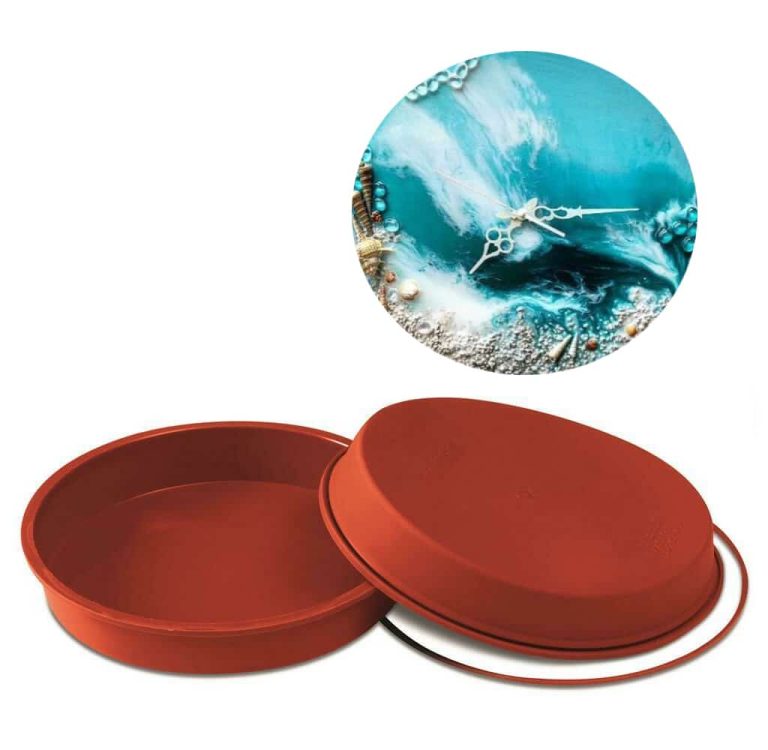
Professional mold "round D. 10.2 in" composed of high quality silicone for resin creations. Excellent for making trays, clocks, decorative items, and home or office decor, this product will be reused over the years. Size: 26x4 cm Color: brown The mold is characterized by flexibility and versatility of use. Resistant to temperatures ranging from -60 C C to +230 C Ideal for professional use in the decorative world. Advantage: * Easy storage * Easy to wash, does not change the shape for a long time. * Easy extraction Attention! Remove the product from the mould no later than 12 hours after pouring the resin. Otherwise, there is a chance of adhesion of the resin to the mould
$26,49
 Free shipping on orders over €199,00
  Shipping Tracking!


 Google
 Facebook